Yearly Balance Sheet Template: Your Financial Snapshot
Managing your business finances shouldn't feel like deciphering an ancient scroll. Yet, for many entrepreneurs, freelancers, and small business owners, the end of the year brings a familiar stress: gathering receipts, calculating totals, and trying to figure out where all the money actually went. That's exactly why a structured tool like the Yearly Balance Sheet Google Sheet template exists—to turn financial chaos into clarity.
Think of this template as the financial equivalent of a well-organized design system. Just as a premium font brings order and personality to a brand's visual identity, this balance sheet template brings structure and insight to your business's financial identity. It's not just a spreadsheet—it's a practical framework for understanding your company's health at a glance.
What Makes This Template Stand Out
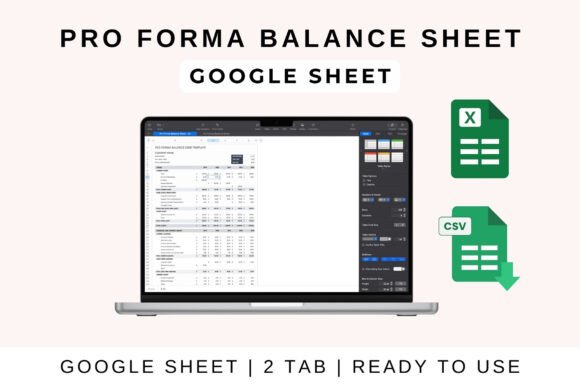
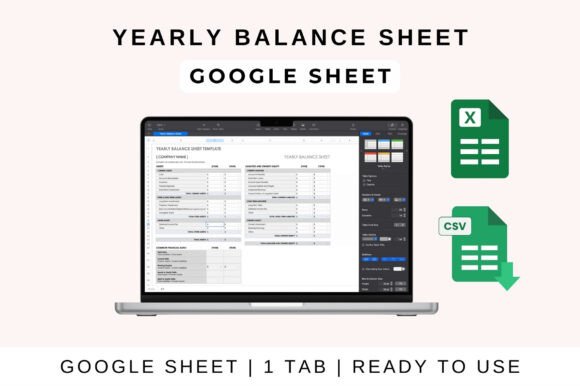
At its core, the Yearly Balance Sheet Google Sheet template is built around three fundamental pillars: assets, liabilities, and equity. These aren't abstract accounting concepts—they're the real numbers that tell you whether your business is growing, stable, or heading into risky territory. The template lays these out in clean, pre-formatted sections so you can see the full picture without wrestling with formulas from scratch.
One of the most valuable features is the automatic calculation of total assets and net worth. You enter your data, and the sheet does the heavy lifting. For a busy creative professional juggling client projects, marketing campaigns, and product launches, that kind of automation is a genuine time-saver. It's similar to how a well-designed typeface with multiple weights and styles saves a designer hours of manual adjustments—the system handles the complexity so you can focus on the bigger picture.
The template also offers customizable fields, which matters more than most people realize. No two businesses have identical financial structures. A freelance graphic designer's expenses look very different from a small e-commerce brand's. The ability to adjust categories and formulas means you're not forcing your numbers into someone else's framework. You're adapting the tool to fit your reality.
Who Benefits Most From This Tool
This isn't just for accountants buried in spreadsheets. The Yearly Balance Sheet Google Sheet template is genuinely useful for a wide range of professionals and creators. If you're running a small business, managing a side hustle, or even tracking personal investments alongside your creative work, having a clear financial snapshot helps you make smarter decisions.
Consider a content creator who earns income from multiple streams—ad revenue, sponsorships, merchandise, and digital products. Without a consolidated view, it's easy to overestimate profitability or miss rising expenses. A yearly balance sheet forces that clarity. It's the financial equivalent of stepping back from a design project to evaluate the overall visual hierarchy—you see what's working, what's imbalanced, and where adjustments are needed.
Similarly, small business owners preparing for tax season will find this template invaluable. Rather than scrambling through bank statements in March, you can maintain an ongoing record throughout the year. That kind of consistency mirrors the discipline of maintaining a strong brand identity—small, regular efforts prevent bigger problems down the line.
How to Get Started Without Overthinking It
Getting started with the Yearly Balance Sheet Google Sheet template is straightforward. Upload the file to your Google Drive, open it in Google Sheets, and you're ready to go. The pre-formatted sections guide you through entering your assets first—things like cash on hand, accounts receivable, inventory, and equipment. Then you move into liabilities: loans, credit card balances, accounts payable. Finally, you document equity, which represents your ownership stake in the business.
For those who prefer working offline or within a different ecosystem, the template is also compatible with MS Excel and Apple Numbers. The process is just as simple—download, enable editing, and start filling in your numbers. The cross-platform flexibility means you're not locked into a single tool, which is especially helpful for teams where different members use different software.
A practical tip: don't try to retroactively fill in an entire year's worth of data on day one. Start with the current month. Build the habit of updating your balance sheet regularly—weekly or biweekly works well for most small businesses. Over time, the template becomes a living document that reflects your business's financial journey, much like how a font pairing evolves as a brand matures and finds its voice.
Where This Template Fits Into Your Workflow
The real power of the Yearly Balance Sheet Google Sheet template shows up when you integrate it into your regular business rhythm. Use it during quarterly reviews to assess whether you're on track with financial goals. Reference it when making purchasing decisions—should you invest in new equipment or hold off? Pull it up when meeting with potential investors or applying for a business loan, because a clean, accurate balance sheet signals professionalism and preparedness.
It also pairs well with other design assets and business tools you might already use. If you track income and expenses in a separate sheet, the balance sheet becomes the summary layer that ties everything together. Think of it like the headline display font in a layout—it doesn't carry every detail, but it frames the story and gives the audience an immediate sense of what matters.
For brand strategists and creative agencies managing client accounts, maintaining accurate financial records isn't just good practice—it's essential for sustainable growth. Knowing your net worth and asset-to-liability ratio helps you price services appropriately, plan for lean months, and invest confidently in the tools and talent that move your business forward.
Making It Work Long-Term
The difference between a spreadsheet that collects dust and one that genuinely drives better decisions comes down to consistency and relevance. Customize the Yearly Balance Sheet Google Sheet template so it reflects categories that actually matter to your business. Add line items for recurring subscriptions, seasonal expenses, or project-specific costs. Remove sections that don't apply. The goal isn't to fill every cell—it's to create a document that tells the truth about your financial position.
Share the sheet with a business partner, bookkeeper, or financial advisor for real-time collaboration. Google Sheets makes this seamless, and having a second set of eyes on your numbers often catches errors or reveals patterns you might have missed. That collaborative element is something a static PDF or printed report simply can't offer.
Ultimately, the Yearly Balance Sheet Google Sheet template is about one thing: giving you the clarity to make confident decisions. Whether you're a designer scaling a creative studio, an entrepreneur launching a new product line, or a freelancer simply trying to stay organized, having a reliable financial snapshot removes guesswork from the equation. And in business, clarity is always worth the effort.